
Your Team Is Losing 6–10 Hours a Week to Copy-Paste. Here’s How to Get Them Back.
Data Integration Hub automatically syncs your CRM, ERP, accounting system, and spreadsheets so your staff stops re-entering data every Monday morning and starts doing work that actually moves something.
Greate for use by teams that work with data across different departments at companies with 20 – 150 staff.
In 30 minutes, we’ll find your top 3 manual data handoffs and show you exactly what to automate first. Free. No commitment.
SOUND FAMILIAR?
Every week, someone on your team is doing a job that should’ve been automated years ago.
It starts with a spreadsheet that someone built as a “temporary” fix. Then a second one to reconcile the first. Now your finance admin is spending Monday morning re-entering last week’s sales data. Your ops manager is running three different reports to find one number and she’s still not sure which one’s right.
This isn’t really a technology gap. It’s a compounding tax on your team’s time, patience, and trust in the data they’re working with. And it gets worse every time you hire someone new, add another system, or close another month.
There’s a version of your operations where none of that is manual anymore.

THE SOLUTION
One automated flow. Every system updated. Nobody re-entering anything.
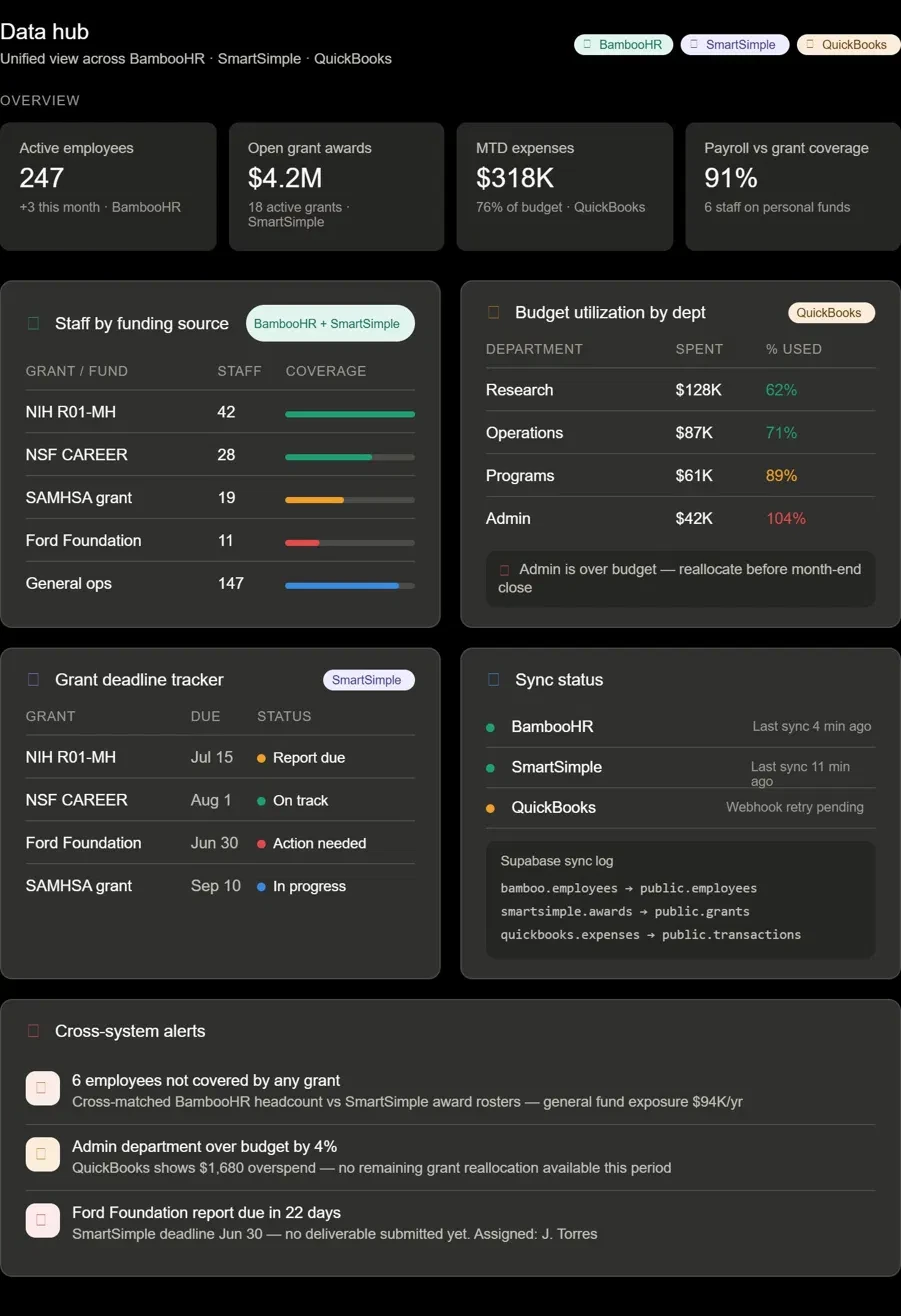
Data Integration Hub automatically connects your CRM, ERP, accounting software, and spreadsheets. When a customer record is updated in HubSpot, your ERP updates too. Change a field in one system, and every connected system syncs within minutes.
Your staff didn’t sign up to move data between systems. Data Integration Hub does that for them. Accurately, automatically, and with a full audit trail of every single update.
What changes when you stop reconciling manually:
Your finance team closes the books faster — about 2 days sooner, on average
Sales and accounting stop fighting about revenue numbers
Your team gets 6–10 hours back every week
Nobody asks, “which number is right?” because the answer is always the same

Give Your Team Back 6–10 Hours Every Week
Manual data entry doesn’t just cost time. It costs the time of your most capable people. The finance admin re-entering CRM updates into QuickBooks every Monday morning isn’t doing finance work. She’s doing data plumbing.
Teams using Data Integration Hub recover an average of 6–10 hours per week that were going to manual entry, duplicate record cleanup, and end-of-period reconciliation. That’s a full working day, every week, given back to your team.

One Accurate Record in Every System. Always.
When the same revenue number looks different in three systems, someone must spend hours figuring out which one to trust. That’s not really a data problem. It’s an organizational trust problem. Sales says one thing. Accounting says another. Someone reconciles it manually. Next month, the same argument happens again.
Data Integration Hub creates one automated flow. A change in your CRM shows up in your ERP and accounting system within minutes, with a full audit trail attached. Nobody needs to ask, “which number is right?” because every system has the same one.

Your Data Stays Yours. Your Operations Stay Yours.
You own your credentials, your field mappings, and your data. All the time. Data Integration Hub includes role-based access controls so your admin can see exactly how every field maps and make changes without calling anyone. Every integration is documented and exportable so your team can see it, touch it, and modify it. No black box builds.
Your dedicated customer success contact is a real person, not a chatbot. Someone who knows your setup, monitors your syncs in real time, and reaches out before a connection error turns into an actual problem.
THE PROCESS
From manual reconciliation to automated sync. Four steps.

STEP 1
Book Your Data Mapping Session
Free 30-minute call. We walk through your current data flows together, find your top three manual handoffs, and agree on which one to tackle first.
STEP 2
We Map Your Connections
Our onboarding team configures your integrations based on what we learned in the mapping session. You review every field mapping before anything goes live.
STEP 3
Go Live in 14 Business Days
Your first integration goes live within 14 business days of your mapping session. Your team keeps working in the same systems. The syncing just starts happening in the background.

STEP 4
Monitor, Expand, and Recover Your Time
Your dedicated customer success contact monitors your syncs and flags issues before they escalate. When you’re ready to connect more systems or add workflows, we map the next one together.
Questions we hear before the first call
What systems do you connect?
We integrate with the CRM, ERP, accounting, project management platforms and other software most used by 20–150 person companies including Salesforce, HubSpot, QuickBooks, NetSuite, Xero, SmartSimple, BambooHR and others. During your Data Mapping Session, we’ll confirm your specific stack and tell you exactly what’s supported. If you want to check compatibility before booking, reach out and we’ll confirm within one business day.
We've connected tools before and ended up with more problems than we started with. How is this different?
Most integration tools are built for developers and sold to everyone else. When something breaks — and eventually, something will — you usually find out because a workflow quietly stopped working days ago. Data Integration Hub monitors every sync in real time. You get automated alerts the moment a connection shows an error.
Our IT team is stretched thin. Do we need developer resources to set this up or keep it running?
No developer needed on your end. OmegaCor support is included in your monthly subscription to keep everything running smoothly.
What does Data Integration Hub cost?
Pricing is subscription-based and scales with the number of active integrations. We share pricing and package options once we understand your specific setup.
What happens to our data and our integrations if we decide to stop using Data Integration Hub?
You own your data, your credentials, and your field mappings. Always. Everything’s documented and exportable. If you leave, your source systems keep working exactly as they did before. Nothing breaks. Nothing’s stuck in a proprietary format you can’t access. We don’t build dependency into the product because we’d rather earn the relationship than make it painful to exit.