
The License Is Running. The Adoption Isn’t.
A free diagnostic checklist for leaders who approved a software investment and are not sure it is delivering what it was supposed to deliver.
Six sections. 48 questions. A scored picture of exactly where your implementation stands and which of the four root causes explains why it stalled.
Takes under 15 minutes. No technical background needed. Built for decision-makers in nonprofits, construction, and manufacturing organizations across Maryland and the Mid-Atlantic.
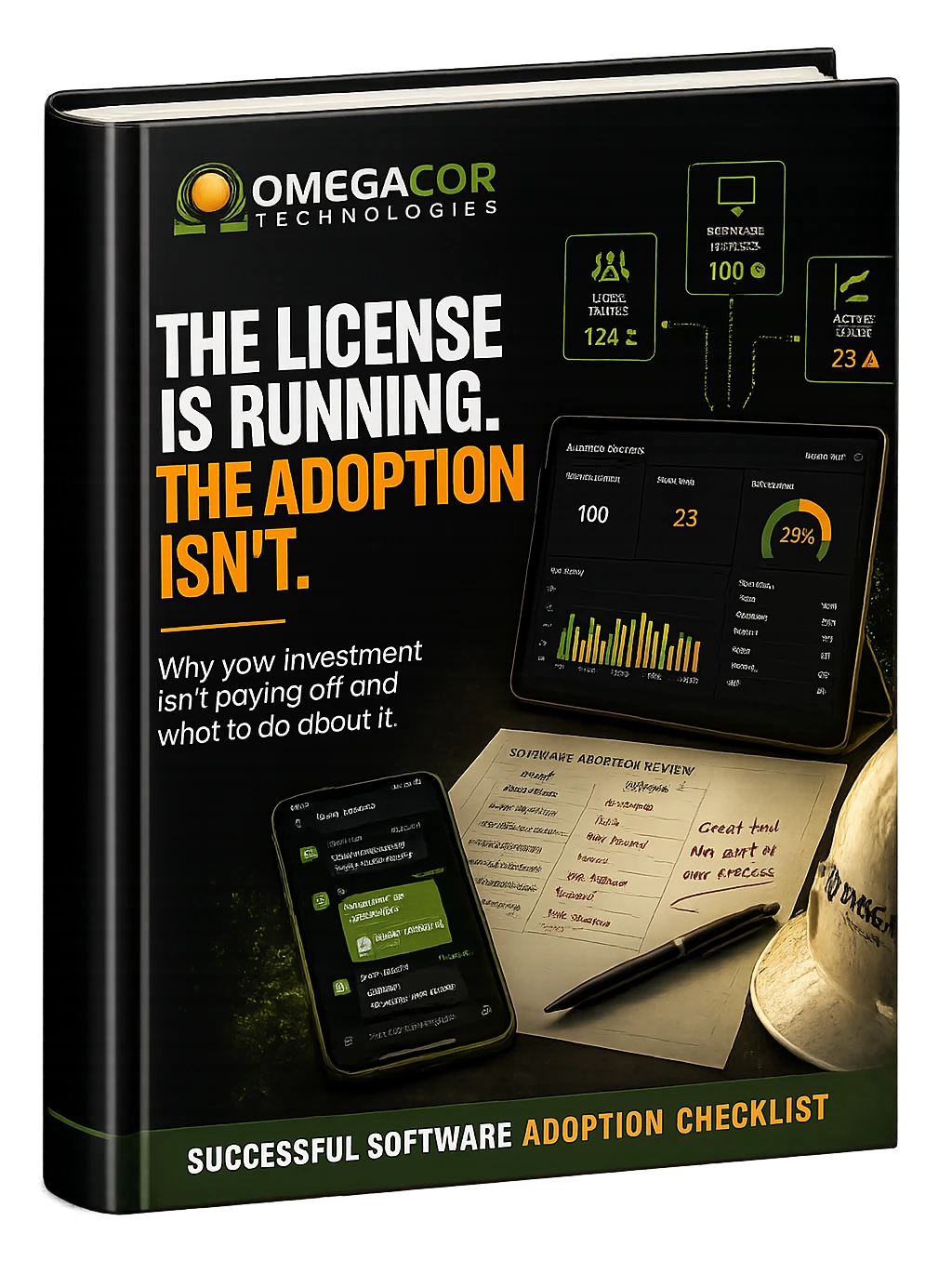
Get Your Free Software Adoption Checklist
Fill out the form to receive your free checklist instantly.
✅ Takes 10 to 15 minutes to complete
✅ Designed for leaders and operations managers, not IT staff
✅ Covers all six adoption failure points with a scored result
✅ Built for nonprofits, construction firms, and manufacturers in Maryland and the Mid-Atlantic
No spam. A practical diagnostic tool you can use this week.

Why Software Investments Stop Paying Off
Most organizations do not find out there is a problem until the cost has been accumulating for a year or more.
The software got selected, budgeted, and launched. Accounts were set up. The announcement went out. And then, a few months later, the old spreadsheet was still running. The workaround that predated the new system was still the workaround.
This is not unusual. We see it consistently across the nonprofits, construction firms, and manufacturers we work with in Maryland and the Mid-Atlantic. A nonprofit tracking grants across three platforms because the new one never fully replaced the old one. A construction firm where half the project managers use the job management system and half do not, making the data in it unreliable for everyone. A manufacturer that licensed a platform for inventory management 18 months ago and is still reconciling it manually with a spreadsheet.
In every case, the visible cost is the license fee. The less visible cost is the time absorbed by workarounds, the inconsistency in how work gets done, and the quiet erosion of confidence in the next rollout before it has even started.

This checklist gives you a clear picture of where your implementation actually stands and which of the four root causes explains why it stalled.
If you want more context on the cost before you download, read our article on the hidden cost of software your team will not use.
What the Software Adoption Checklist Covers
Six sections. Each one maps to a root cause of failed software adoption.
Each section scores out of 8. Your total score out of 48 places you in one of four adoption health tiers with specific guidance on what to address first.

Section 1: How the decision was made
Pre-purchase and selection
Whether the people who use the software daily had input before the purchase, whether the selection was based on how the team actually works, and whether the expected adoption timeline was realistic before the license was signed.
Section 2: How the launch was planned
Rollout timing and planning
Whether the rollout landed at the right moment, whether there was a written plan with named responsibilities, and whether parallel systems were scheduled to phase out rather than run indefinitely alongside the new tool.
Section 3: How the team was trained
Training and onboarding
Whether training was role-specific or generic, whether it happened more than once, and whether there was anyone available to answer questions during the critical first 30 days after go-live.
Section 4: Who owns the outcome
Ownership and accountability
Whether a named internal champion was identified before launch, whether leadership made usage an expectation rather than an option, and whether adoption appears on anyone’s regular agenda.
Section 5: How you measure adoption
Usage measurement and monitoring
Whether you have visibility into who is actually using the software, whether workarounds have been documented, and whether the problem the tool was purchased to solve has been evaluated since launch.
Section 6: Recovery and second attempts
What happens next
Whether the root cause has been specifically identified, whether there is a structured plan for a second attempt that starts from the planning stage, and whether the organization is committed to phasing out parallel systems as part of that plan.
Built for the People Who Approved the Budget
If you are the person who would be asked to explain why the software is not working, this checklist is for you.

Executive Directors and CEOs
You approved the investment and announced the launch. This checklist tells you whether the return you expected is actually materializing and what is specifically standing in the way.

IT Managers and Technology Leads
You know which systems were set up. This checklist helps you frame the adoption gap for leadership and build a clear case for what a recovery plan requires. If the gap runs deeper than adoption, our professional services team works with organizations across the region on exactly this kind of structured recovery.

Operations Managers and COOs
You are probably already aware that something is not working. This checklist names exactly what that is and gives you a structured framework for addressing it without starting over from scratch.
CFOs and Finance Leaders
The license fee is already spent. The ongoing cost is the time your team absorbs through workarounds. This checklist helps you quantify where that cost sits and decide whether a structured recovery is worth the investment.
Why Software Adoption Fails in Organizations Like Yours
We see the same four causes consistently across the nonprofits, construction firms, and manufacturers we serve in Maryland and the Mid-Atlantic.
Timing
New software gets introduced when leadership is ready, not when the team has space to learn it. Launches that land during a busy season or alongside a significant organizational change rarely take hold. The team reverts to what they know because there is simply no room to learn something new.
Relevance
When the team cannot see a direct connection between the tool and the work they actually do, they build workarounds instead of habits. Software that does not fit the workflow gets bypassed. This is not resistance. It is a rational response to a tool that creates friction rather than removing it.
Training
A single onboarding session is not training. People retain what they use repeatedly, not what they hear once in a group setting. Without role-specific guidance and follow-up support in the first 30 days, teams revert to what they already know within weeks of go-live.
Ownership
Without a named internal champion who has both authority and availability, software becomes optional in practice even when it is meant to be mandatory. Optional tools in busy organizations become unused tools. The license keeps running. The workarounds keep compounding.

The checklist is built around these four causes. Each of the six sections maps directly to one of them so that your score tells you not just how you are doing overall, but specifically where the gap is.
What Happens After You Download the Checklist
Work through it once and you will know where to focus first.

The checklist is designed to be completed by someone with both operational and leadership visibility into the implementation. You do not need technical expertise. You need honest answers about what is actually in place today versus what was intended at launch.

Some sections will be quick. Others may surface uncertainty you have been aware of but have not had time to address. That is the point. It tells you where your adoption exposure is highest and where a conversation with your team or an outside advisor is warranted.
There is no sales sequence on the other side of this download. You complete the checklist, you see your score across six sections, and you decide whether the results are worth acting on.
If your results raise questions you want to explore further, we offer a free 30-minute Software Advisory Call. If the results point to something broader, such as a cybersecurity gap or a managed IT gap, you can also explore those through our cybersecurity services or managed IT services pages. Either way, there is no pitch on the other side of any of those conversations.
Free Software Advisory Call for Nonprofits, Construction Firms, and Manufacturers in Maryland and the Mid-Atlantic
If the checklist surfaces gaps, a short conversation can help you understand what they mean for your organization specifically.
We have worked with nonprofits, construction firms, and manufacturers across Maryland and the Mid-Atlantic for over 25 years. We understand what a stalled implementation looks like, why recovery attempts fail when they start from the wrong place, and what a structured second attempt actually requires.
The COR Assessment is a 30-minute free software advisory call. It’s a working conversation during which we will review your checklist results, identify which sections represent the most urgent gaps, and tell you what a realistic first step looks like given your size, sector, and current situation. If the assessment points toward a broader IT engagement, we can walk you through how our professional services work operates. You do not need to be an OmegaCor client to book this call.
Review your checklist results with an advisor who works with organizations like yours every week
Understand which of your six section scores represent the most urgent gaps and why
Identify whether your situation calls for a structured recovery or a different approach entirely
Get a specific first step based on your organization’s size and resources
Leave with a practical plan, not a sales pitch
FOR NONPROFITS
We understand grant management platforms, donor data systems, and the compliance expectations of Maryland and DC-based funders. Our nonprofit IT services are built around the specific pressures your organization faces. We will tell you whether your adoption gap is creating reporting risk you may not be aware of.
FOR CONSTRUCTION FIRMS
We understand Procore, Bluebeam, and job management platforms across office and jobsite environments. Our construction IT services address the specific platforms and workflows your teams rely on. We will help you identify whether your adoption gap is affecting project data reliability.
FOR MANUFACTURERS
We understand ERP platforms, production floor systems, and operational technology environments. Our manufacturing IT services are designed for the realities of your environment. We will help you assess your adoption situation in the context of how your operations actually run.
Years serving Maryland and the Mid-Atlantic
Organizations served
Verticals - Nonprofits, construction, and manufacturing
NO Obligation
Free call, no pitch, no pressure
Common Questions About the Software Adoption Checklist
Questions from leaders and operations managers thinking about software adoption for the first time.
Our software has been running for two years. Is it too late to use this checklist?
No, and a two-year-old stalled implementation is exactly where this checklist is most useful. By that point the cost has been accumulating long enough to make a recovery worth the effort, and long enough that the root cause is usually clearer. The checklist works for implementations at any stage: planned, recently launched, or already stalled for months or years.
We think our team is using the software. How would we know if they are not?
Absence of complaint is not the same as presence of adoption. Section 5 of the checklist covers exactly this question, whether you have visibility into actual usage, whether workarounds have developed alongside the new tool, and whether the problem the software was purchased to solve has been evaluated since launch. Most organizations discover at least one significant gap they were not previously aware of.
The software vendor says everything is set up correctly. Does that mean adoption is happening?
Vendor setup and genuine team adoption are separate things. A vendor is responsible for the technical configuration of their platform. They are not responsible for whether your team uses the tool, whether training was effective, or whether an internal champion owns the outcome. Most stalled implementations have no technical fault at all. This checklist focuses entirely on the conditions around the software, not the software itself.
We have already tried retraining the team. Why has it not worked?
Retraining alone rarely succeeds when the root cause is timing, relevance, or ownership rather than training itself. If the software was introduced at the wrong moment, or if it does not map closely enough to how the team actually works, more training adds cost without changing the underlying problem. Sections 1 and 2 of the checklist help identify whether the adoption gap was set in motion before training was even a factor.
How long does the checklist take to complete?
Between 10 and 15 minutes for a single implementation. If you are assessing multiple tools, plan for 10 to 15 minutes per tool. The checklist is designed to be completed by one person with leadership and operational visibility. You do not need to involve your whole team to get a useful result, though Sections 3 and 4 may benefit from input from the person closest to day-to-day operations.
What does the free Software Advisory Call involve?
It is a 30-minute working conversation with an OmegaCor advisor. We review your checklist results, identify your highest-priority gaps, and give you a specific first step based on your organization’s situation. There is no pitch, no obligation to engage further, and no follow-up sequence unless you request one. You can book it through the form on this page or by calling 410-246-4708. You can also learn more about the COR Assessment if you want a deeper look at your overall IT health.
Does this checklist apply to any type of software or only specific platforms?
It applies to any software implemented with the expectation that a team would use it as part of their regular workflow. Project management platforms, ERP systems, CRM tools, HR platforms, grant management software, construction management tools like Procore or Bluebeam, manufacturing execution systems, and general productivity tools are all in scope. The six sections address the conditions around the implementation, which are consistent regardless of the specific platform.
Is this different from a software audit or IT assessment?
Yes. A software audit or IT assessment looks at your technical environment, licensing, and system configuration. This checklist looks at human and organizational conditions: how the decision was made, how the team was trained, who owns the outcome, and whether adoption is being measured. Most organizations that have had an IT assessment have not specifically evaluated software adoption health. For a broader look at your overall technology posture, the COR Assessment covers the full picture, including foundations, security, AI, data, and productivity alongside software adoption.
Find Out Where Your Implementation Actually Stands
A 15-minute honest assessment is worth more than another year of workarounds.
OmegaCor Technologies | Baltimore, MD | 410-246-4708 | info@omegacorit.com | omegacorit.com
Serving nonprofits, construction firms, and manufacturers across Maryland, Washington DC, northern Virginia, and southern Pennsylvania.